


Record without a meeting bot
Capture your microphone and the audio playing on your computer. Loofah stays out of the participant list. Get permission to record, then start when you are ready.
How recording worksFree and open sourceBuilt in public
Record meetings without a bot and transcribe audio on your computer. Keep notes as Markdown files, generate summaries with your choice of AI, and connect your agents. No account or subscription.
Signed & notarized
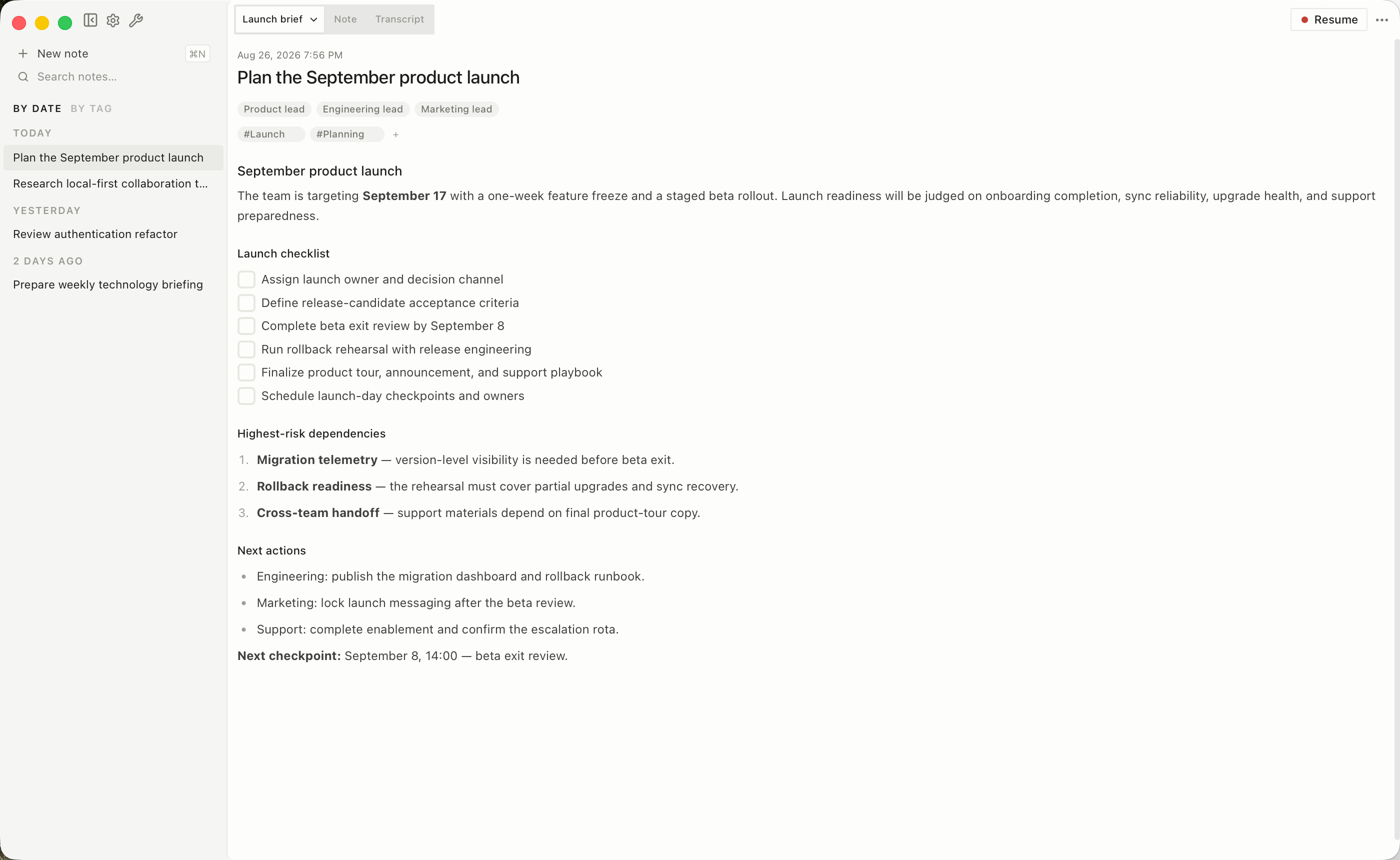
The team is targeting September 17 with a one-week feature freeze and a staged beta rollout.
Ship in stagesBeta first, then general release
Freeze one week earlySeptember 10 deadline
From conversation to something useful
Capture your microphone and the audio playing on your computer. Loofah stays out of the participant list. Get permission to record, then start when you are ready.
How recording worksDownload a speech model once and use it offline. Follow meetings live with a model that supports your spoken languages, or transcribe after recording.
Set up offline transcriptionRun summaries locally with Ollama or LM Studio, or bring an API key for a hosted provider. Recording and transcription work without either.
Choose your AI setupA place for your working knowledge
Keep your own notes beside the transcript and optional AI summaries. Bring in recordings, research, and source material as your vault grows.
Your files, beyond this app
Your notes and summaries are Markdown files. Transcripts, recordings, and attachments live alongside them in your local vault. Keep a backup, use a supported sync folder, or export a session for another tool.
Explore Markdown notesGive your agents the context
Connect an MCP client to search and read your meeting notes. Use the CLI when you want an agent to save research or add to a note. You choose which work to keep.
MCP reads your vault. The CLI handles writes. Your agent's provider may receive the content it reads.
Connect your agentsFind the right fit
Compare what is included, where processing happens, and what each workflow asks of you.
See the comparison guideYes. Recording, on-device transcription, notes, speaker detection after recording, exports, and agent access are included. There is no account, subscription, premium tier, or monthly transcription allowance. A hosted AI provider may charge for summaries if you choose to use one.
Yes, once you have downloaded the transcription model. Local summaries also need a downloaded language model and a running Ollama or LM Studio server. A hosted summary provider needs an internet connection.
Recording and transcription run locally. If you choose a remote summary provider, the required meeting context goes to that provider. Connected agents can receive the notes you ask them to read, and a sync service can copy files if you configure one. Loofah has no cloud backend or telemetry.
The signed and notarized macOS download supports Apple Silicon Macs running macOS 15 or later. The unsigned Windows preview supports Windows 11 on x64 and ARM64 PCs. Download your models during setup and make a short test recording before your first meeting.
Yes. Import WAV, MP3, OGG, MP4, M4A, FLAC, WebM, or AAC files, individually or in a batch. You can also import SRT or VTT transcripts. Audio is transcribed with your selected on-device model.
Why Loofah is free ·Data and privacy · Supported languages · Import recordings
Free and open source · MIT licensed
Install Loofah, download a speech model, and try your first recording.
Signed & notarized